
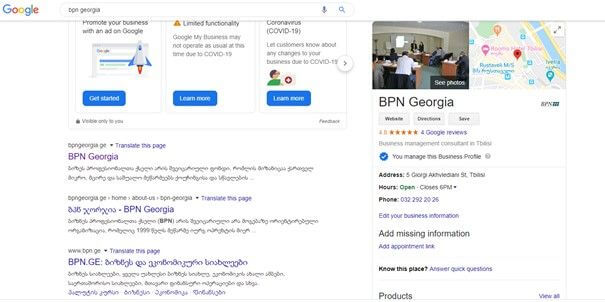
When searching on Google, you would often come across information about a company, which includes the company name, logo, product/service photos, offers, address, business hours, etc. This is one of Google's services called Google My Business (formerly Google Places), where we can add the desired information that will appear in the search engine during a search.
What are the advantages of using Google My Business?
- Google My Business is a free tool that allows us to further improve SEO (search engine optimization) at a local level and get one step closer to the customer;
- We will receive targeted traffic for free;
- We will appear on Google Maps – appearing on a map has a huge advantage, making it even easier for users to find our location;
- Users can leave ratings and comments;
- We can easily edit and update the desired information;
- We can add interior and exterior photos, which will give customers a visual impression of our business.
- With the help of Google My Business, we can create a mini website address for free. We can include all the information we want our customers to see on the website.
- We get free statistics – analysis of user behavior, where they come from and what they are looking for. Based on this information, we can create the right marketing strategy that will help us increase sales.
How to create and manage Google My Business?
Since November 2013, the population of Georgia has also been able to use this service, before that there were “detours” on how to add our business to Google Maps. Please note that in order to register a business and have it appear on the map, Google will send us a physical letter to the address we provided, which will arrive in approximately 14 days. The letter contains numbers that we need to indicate the location (in the section where the code is specified) and only after that will it appear on Google Maps.
If the code sent by mail is lost en route for some reason, don't worry, there are the following ways to solve this problem:
1. Google will call your phone number and dictate a PIN code, which you must enter in the appropriate field.
2. Contact Google My Business Support and ask for a code via email.
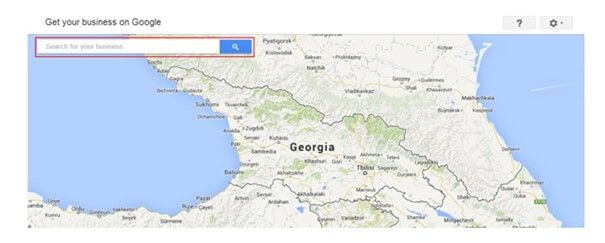
Enter your company name in the search field. If your company is already added, then confirm that it really belongs to you and if you have anything to change or add, you can easily edit it.
If your company is not added to Google My Business, then follow these steps: The following steps:
- First of all, in order to use any Google product, you must have a Google account (have a Gmail account). It is recommended that each local business create its own individual account. It is necessary for the company to have a direct Gmail account, to which the Google My Business account will be linked, in order to avoid any complications in the future.
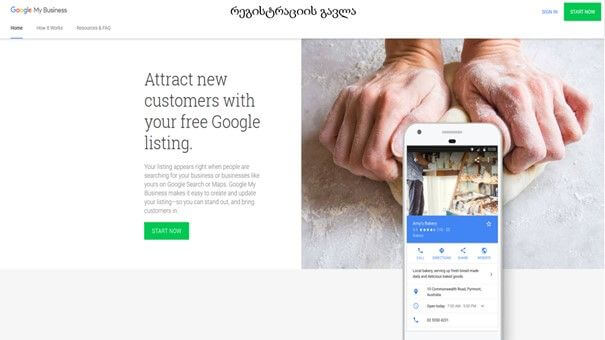
- Once you have created a Google account (Gmail), to register for Google My Business, visit https://www.google.com/business/
3. Enter your business name.

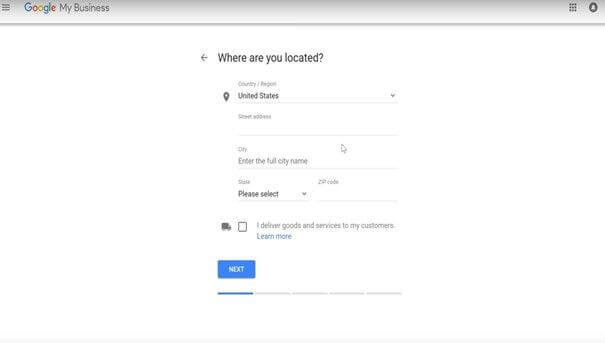
4. Specify the address: city, state, street, zip code, and whether you have delivery service.
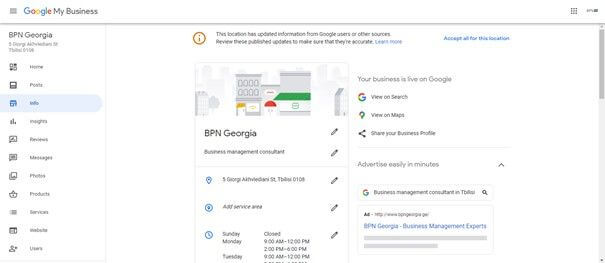
After completing the steps above, your Google My Business account will be created, after which you will need to add the information you want (photo, post, product, business hours, address, etc.).
If you are interested in this topic, join us for a social media marketing webinar , where a trainer will help you create a Google My Business and provide you with additional information.