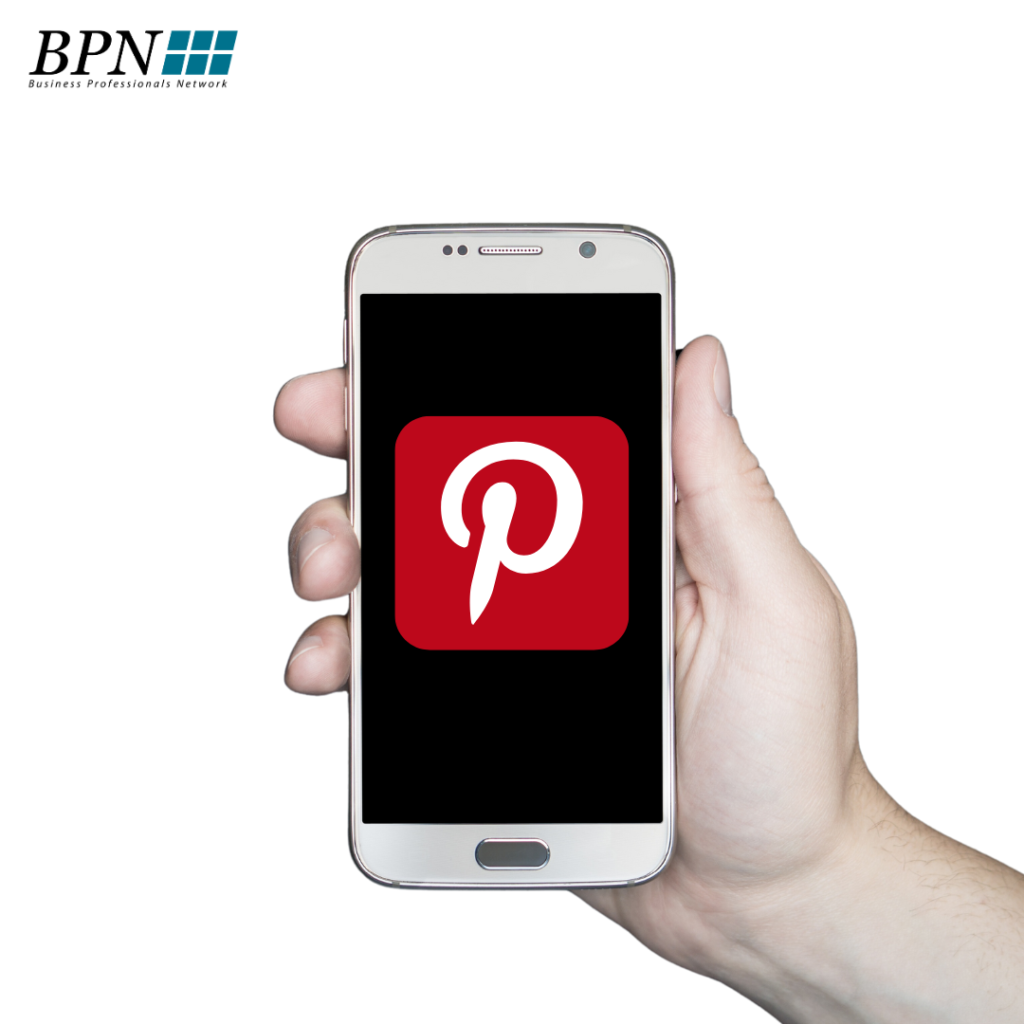

Pinterest is a social network where people can find inspiration and ideas on topics they are interested in. All ideas are represented by Pins, which are based on the search and saving of Pinterest users. Its slogan is: “Pin what you care about and share it with others”.
When using Pinterest for business, you must always include a link to our website.
- 66% of Pinterest's global audience is female and their age ranges from 25-54.
- The biggest areas of interest on Pinterest are: fashion, food, cars, interiors, and travel, which is why the touchpoint area for users is quite large.
If your target audience is on Pinterest, then don't hesitate and start developing digital strategies so you don't miss out on your potential audience.
1. How to create a business profile on Pinterest
To create a business profile, simply follow these steps:
If you have a personal profile, log out to start creating a new account. If you're using the Pinterest desktop app, click the three dots in the top right corner of the screen and select "log out."
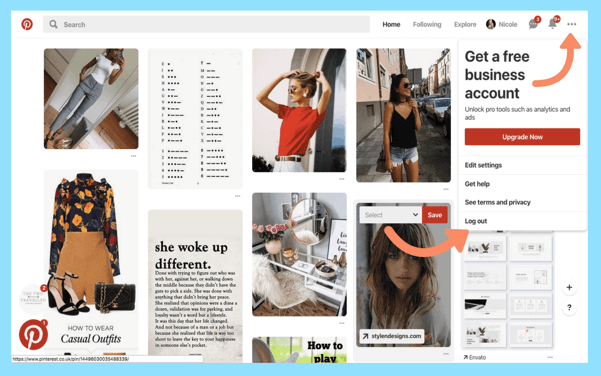
Next, go to Pinterest for Business and select “Join as a Business.” Fill in the details about your business and the person who will manage the account. Once you’re done, simply read Pinterest’s Terms of Service and select “Create Account.”
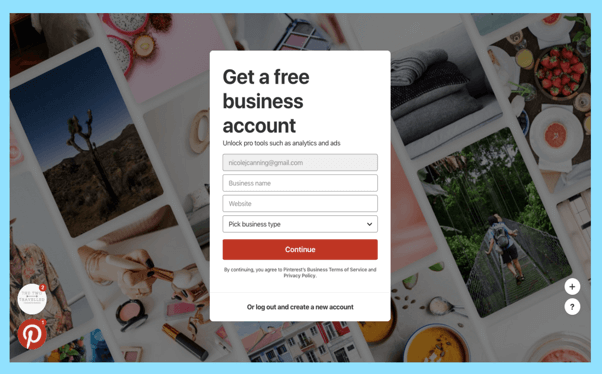
2. How to convert a personal account to a Pinterest business profile
If you already have a personal account and want to convert to a business account, it’s very easy! First, log in to your profile. Then, click on the three dots in the top right corner of your screen and select “Upgrade your account”. Or follow the link. ( https://www.pinterest.com/login/?next=%252Fbusiness%252Fconvert%252F )
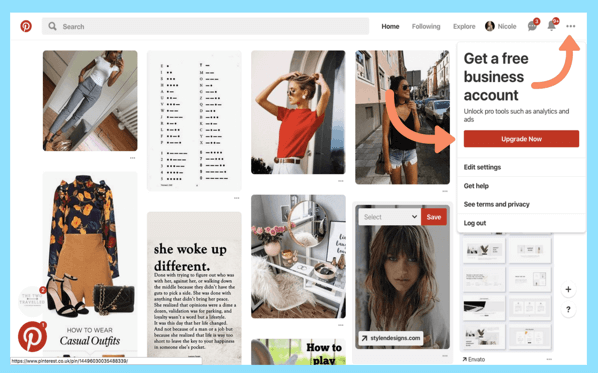
You’ll need to fill out information about your business and who will be able to manage your account, and once you’re done filling out the form, just click “Done.” Once you’ve completed this step, you’ll see all the features of a Pinterest business profile, like Pinterest Analytics and Pinterest Ads!
Pinterest for Business: What You Need to Know
There are four characteristics of Pinterest's success formula:
- Pinterest search
- News field
- "Pins"
- Boards
Pinterest Search – Search Field
Think of Pinterest as an image search engine. For example, on Pinterest, a user might search for “black leather shoes” and get thousands of “Pins” of themed photos uploaded by brands, online retailers, influencers, fashion magazines, and other Pinterest users.
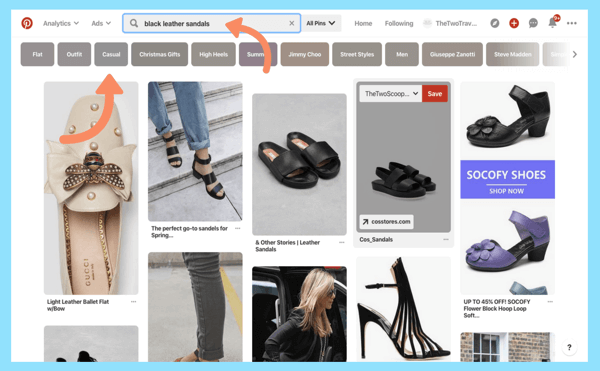
For Pinterest users, the search feature is the first step in enabling them to find more information about products that interest them based on their interests.
Like Google, after a user types a search term into the search bar, Pinterest will generate the best results for that term. You don't have to scroll to the next page, instead, you just keep scrolling until you run out of matching pins.
Pinterest also helps you refine your search results by simply adding keywords and topic areas. For our “black leather shoes” example, the suggested topics were “summer,” “high heels.” Choose from the ones listed that are relevant to you, and the search will end with the most relevant results for you.
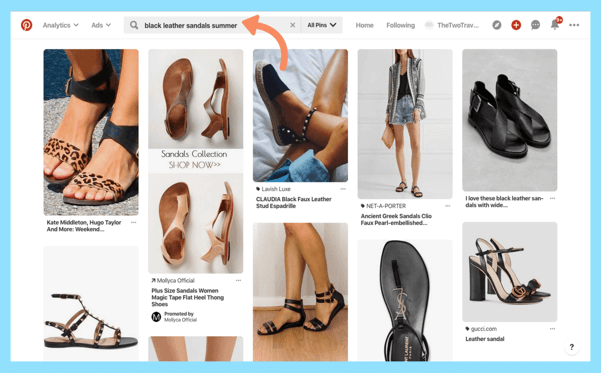
Pinterest Field :
Pinterest is your go-to source for inspiration, new ideas, and interesting topics. That's why Pinterest has created three fields you can use for your "Pins" to help you find the inspiration you're looking for!
1: The Home Feed – Home Field
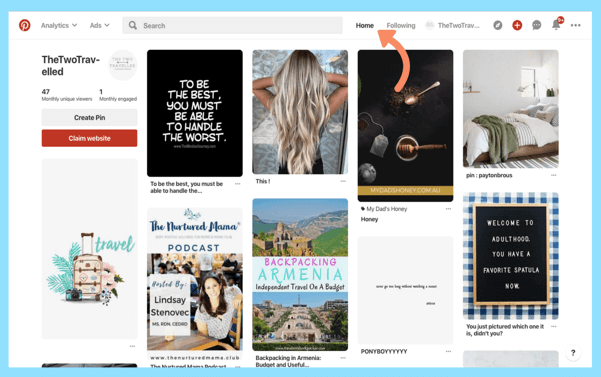
Let’s start with our home feed. Your Pinterest home feed is a collection of Pins that you’ve decided to follow. Your Pinterest feed also includes “Pins” that are inspired by your recent activity. This helps you quickly and easily find things that you like or might be interested in.
Your starting field depends entirely on how you behave. The more time you spend pinning and choosing who to follow, the more of a news field you'll have that's tailored to your interests and preferences.
If you're using Pinterest for desktop, then simply click on the "Home" button in the navigation bar at the top of the screen, or on the mobile app, on the P symbol located in the bottom left corner of your Pinterest.
2: The Explore Feed
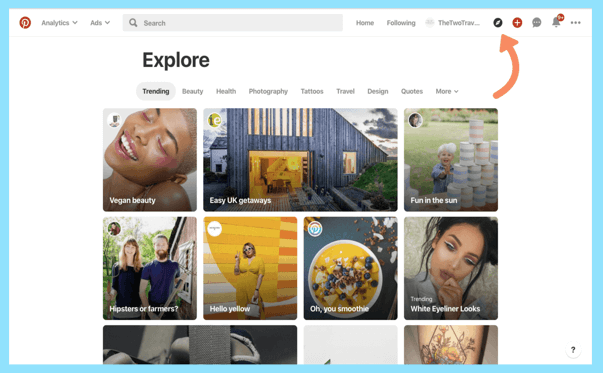
Similar to Instagram, this is where Pinterest users can get inspiration from trending topics and the most popular pins. Just tap the compass icon. It's located at the bottom of the screen on the mobile app, or in the top right corner on the desktop version.
Because Explore is always filled with new and trending information, Pin results are constantly changing and are designed to keep people coming back regularly so they don't miss anything and stay up to date.
3: The Following Feed Subscribed Pages Field
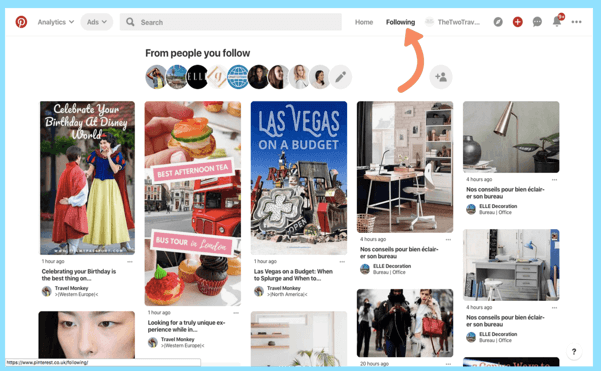
You can follow different accounts, boards, and topics on Pinterest. To see new posts that you want to follow, simply click the “following” button. Pages you follow appear in chronological order in your feed, so you can easily keep up with their updates.
Boards Boards
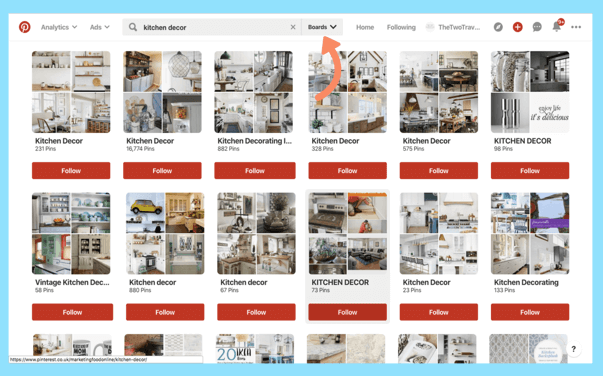
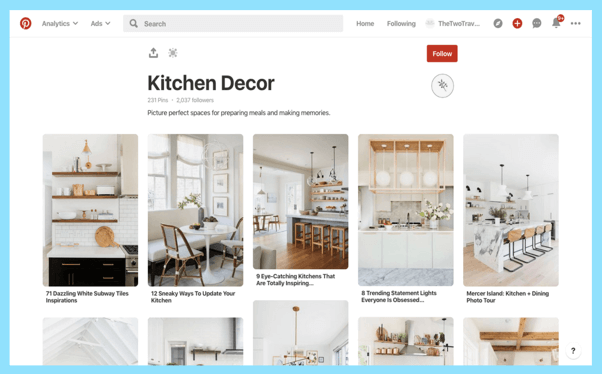
Pinterest boards are where you store your pins. As a brand or business, create a collection of boards that you categorize. This makes it easy for your followers to easily search, find, and follow the boards they’re interested in.
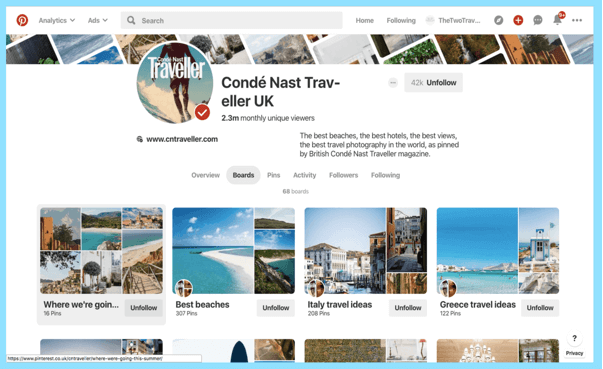
For example, if you have a travel company, you might want to create boards about places you can take tourists to. Creating 'topic areas' is an easy way to help your audience find the information they're looking for. If your page is interesting, they'll decide to follow you regularly.
Pins – “ pins ” so - called pins
The world of Pinterest revolves around high-quality images called Pins. You can create a “Pin” without linking to a website, but we strongly recommend that you link it to your website to more effectively manage Pinterest for your business. Every Pin can lead you to the website that it was placed on. This could be an online store, magazine, blog, or company website. That’s why an eye-catching, effective Pin with an interesting description is the best way to grow your audience on Pinterest. It’s also important to collect and save Pins from other users to make sure you’re really creating a quality and interesting page.
Not only will this help your followers find more Pins that interest them, but it's also a way to present your business as an authority in your sector and become a resource for inspiration, which will ultimately make your page active and popular. You can even become an "influencer."