
What is YouTube, or how did this platform start operating?
I want to tell you about an interesting fact related to YouTube. The page in question had a completely different profile. It was nothing more, nothing less than a dating site, where you could shoot a video, talk about yourself and your desired other half. However, the site did not live up to its name, as they say, people avoided uploading such videos to the social network.
After that, the creators of YouTube gave permission to users to upload videos of any content, as we understand it was the right decision, which put YouTube in the list of top social networks. On this video site, we will meet videos of various categories, which we can watch, share and save. It is also possible to freely express our opinion on a particular video by liking/disliking it and leaving a comment.
In our time, it is difficult to find a company that does not use a YouTube channel. If you own a startup business and are not yet on YouTube, then I recommend that you do not waste time and register your account. You will be able to add video content that you want to share with your subscribers.
From the article you will learn how to create your account and manage it.
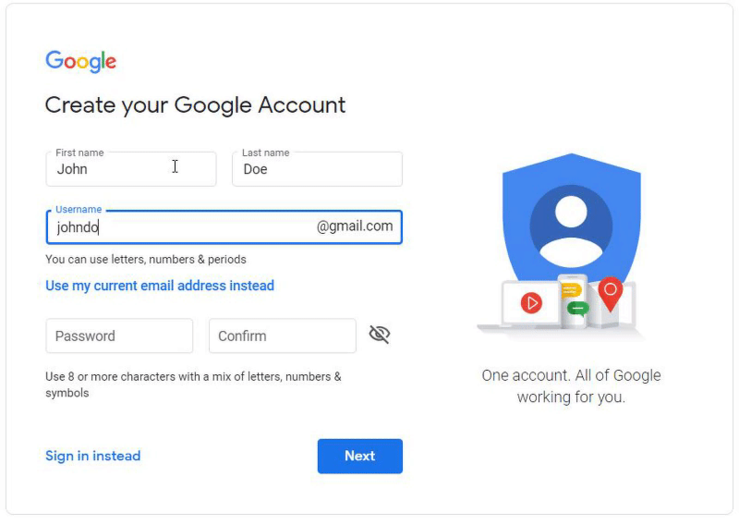
To get started, you need to have a Google account, sign up for a Gmail account for the company you want to connect to your YouTube business channel. My advice would be to not connect your own Gmail account to your organization's channel. Creating a new account is often the best option because you don't have to worry about security issues related to your personal Gmail. Also, you may need to share your account details with your colleagues in the future.
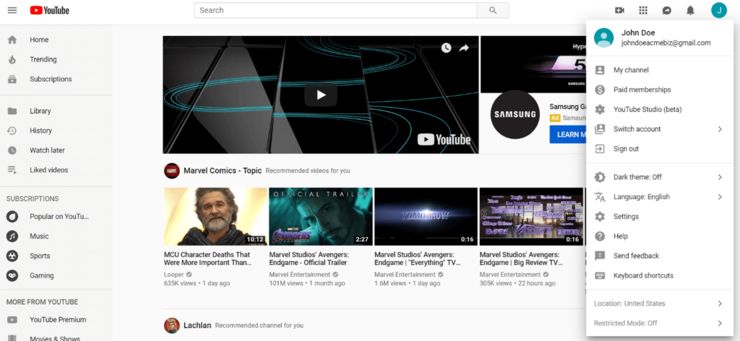
After creating your Google Account, go to the YouTube homepage. To get started with your channel, click on the avatar icon in the top right corner of the screen. From the drop-down options, click on “My Channel.”
You will then be presented with a field on your screen asking you to enter your first and last name. Remember, YouTube gives you the option to use a business or product name for your channel.
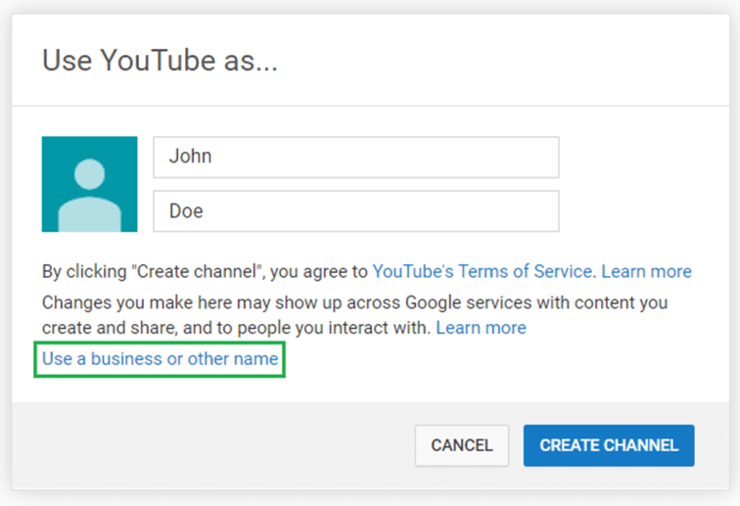
Click "Use a business or other name," which will take you to a screen where you can enter your brand name. The name you choose will be the one associated with your YouTube Brand Account.
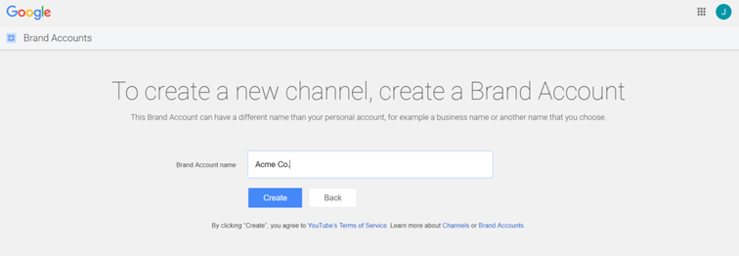
That's it! Your business account on YouTube has been created.
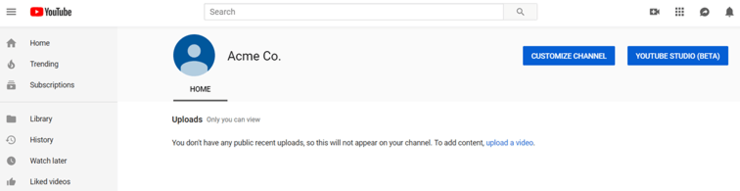
Pretty simple, right?
Now that you know how to create a business account on YouTube, it's time to give your channel a little boost. Below are the steps to perfect your channel to grab the attention of viewers and search engines.
Fill in your YouTube Business account details:
There are many things that can be done on a given YouTube channel, the following information represents some of the must-do things for brands, that is, things that you absolutely must do.
Click the “customize channel” link. A screen will appear that will indicate what is needed to make your channel more complete.
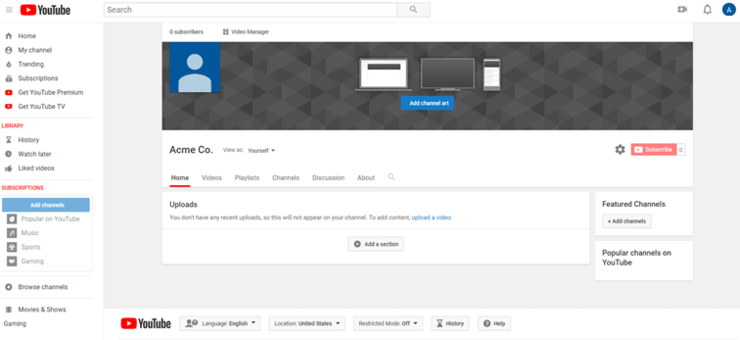
Just like on other social networks, on YouTube you need to upload your organization's logo, background image, and add a little information about your business.
Here we share YouTube channel image settings that will help you easily customize the desired photo for your channel:
• Channel icon: 800 × 800 pixels recommended, screens 98 × 98 pixels
• Channel banner: 2560 × 1440 pixels, the safe area for mobile networks and the Internet (without cutting off text and logo) is 1546 x 423 pixels.
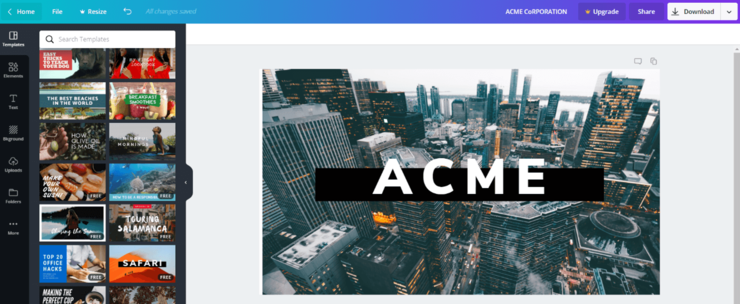
Since these sizes are relatively large, you should use high-resolution images. You can use Canva.com to create visuals, as you can create such images in minutes thanks to templates designed for YouTube channels.
Let's start with our channel icon. The first time you try to change your icon, you will be prompted with the following.
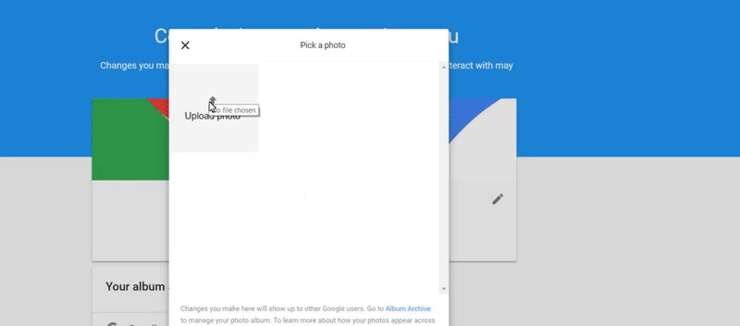
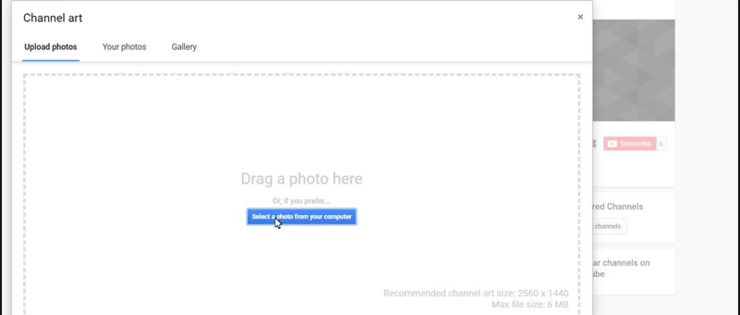
When you upload your creation, YouTube offers a preview and cropping feature to make sure everything is in order. This may take a little time to fix, but doing so will ensure your account looks professional.
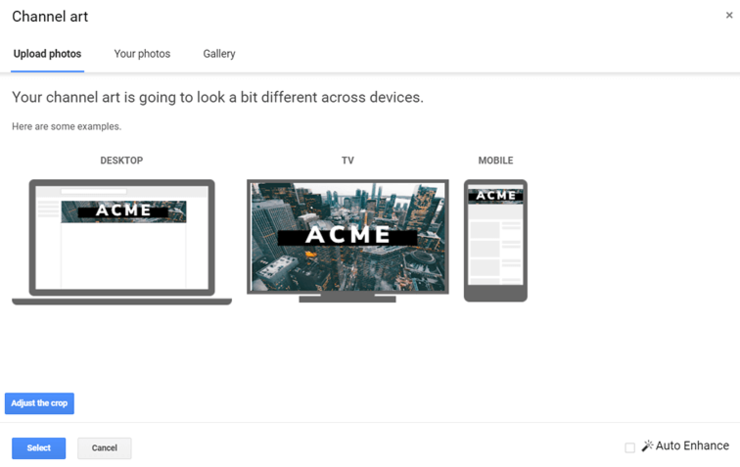
Going to this step allows you to see the final result of how your data will appear on different devices.
Your YouTube channel isn't 100% complete yet, now is the time to fill in some basic details.
Channel Description :
Your “about” section is a crucial part of creating a YouTube channel that actually attracts followers. According to YouTube’s guidelines, a channel description should not exceed 1,000 characters. However, most users will only see the first 200 characters. The rest will only be available when they open your channel’s description tab. So, try to put the main meaning and intrigue in the first 200 characters. This will make your channel more interesting, simply by searching.
Keep in mind that you should include keywords in your catchy description to help optimize your channel for search engines and get higher search engine rankings. This will make it easier for potential YouTube subscribers to find you and allow you to reach a wider audience.
Ultimately, this is useful if you want to achieve channel growth and make your brand successful through YouTube marketing.
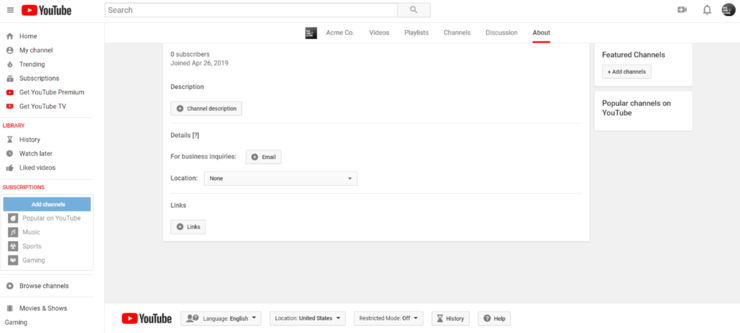
You can also link to your social media accounts on your YouTube channel, making it easier for users to find information about your company that interests them. YouTube allows you to add up to five links and customize the hyperlink text up to 30 characters.
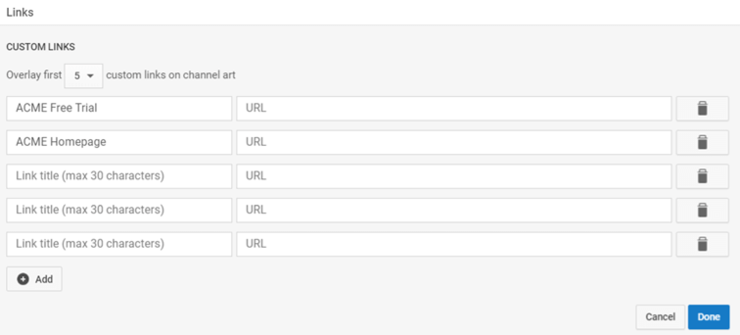
After filling in the description, the final result looks like this:
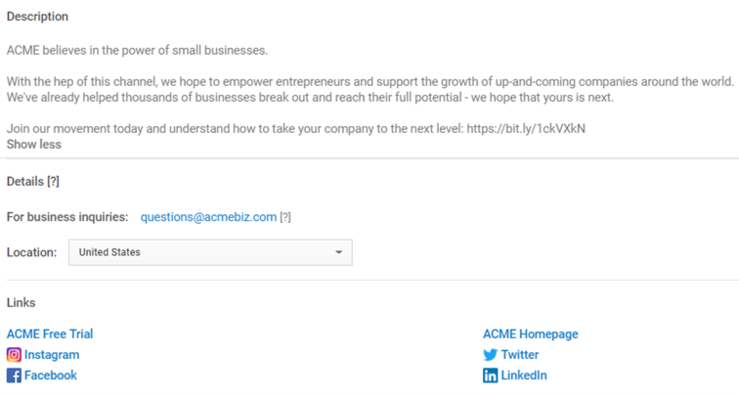
As an added bonus, YouTube adds social links to your site to your channel banner to make them even more accessible to viewers.
Outstanding Channels And Activity :
Just like any other social network, YouTube is a community. You need to show yourself as an active part of the community, which means checking out other channels and liking other videos.
Engaging with channels that stand out to you, liking/commenting on their videos, is a subtle way to show respect for your YouTube friends/competitors. It's also a smart strategy if you don't plan on uploading videos frequently, but your channel will be active with similar engagement.
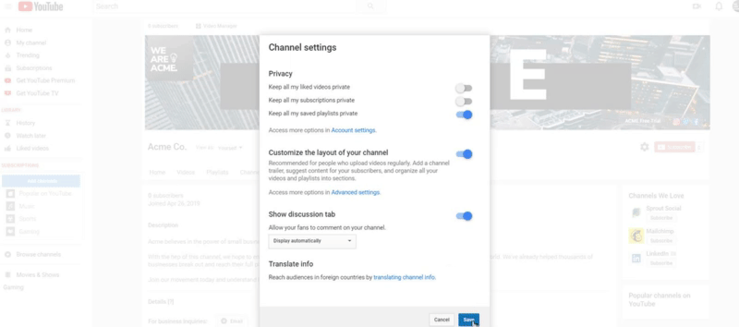
Make sure that your channel settings for subscriptions and video views are set to public so that viewers can see them.
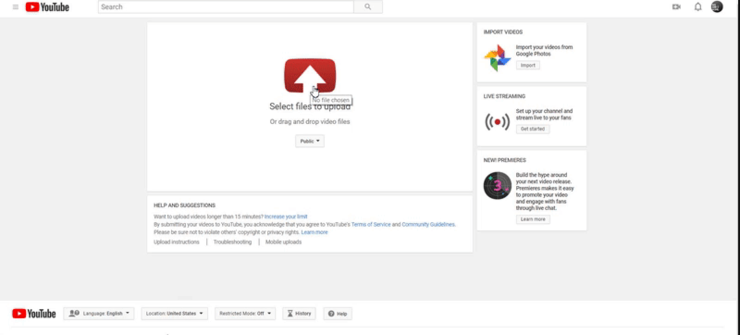
Now that your profile is created, you can upload and publish your first video.
We will discuss in more detail what form of communication you should have with your subscribers and what type of video content you should upload to your YouTube channel at the Social Media Marketing Seminar . Join us and learn more!